Design from text, Mobile · Desktop · Slides

Just enter your idea and we'll create everything from UI designs to slides.

Build the screens you need, faster

Create mobile, desktop, and slides in one place, then refine quickly.

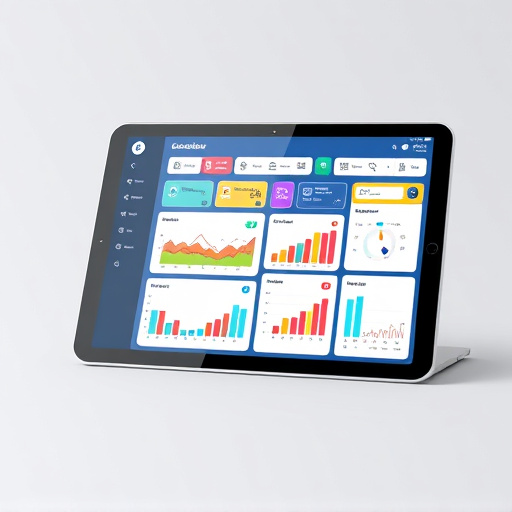
Web and desktop screens

Build landing, dashboard, and settings screens that fit web products.

Mobile app screens

Quickly create onboarding, checkout, and profile screens optimized for mobile.

Presentation slides

Turn plain text into proposal and pitch slides in minutes.

Real Design Outputs Created by Vinsign

Explore real outputs generated from screen prompts across mobile, desktop, and slide formats.

Mobile App

Camping Gear Rental Home

Camping gear rental home with package recommendation, pickup/delivery

Daily Habit Tracker

Habit tracker with streaks, reminders, and daily reflection

Nearby Reservation Queue

Restaurant queue with wait-time and push-notification workflow

Monthly Budget Dashboard

Category spend tracking with budget warning at a glance

Used Goods Escrow Flow

Chat + escrow flow with transparent transaction timeline

Trainer Booking for PT

One-screen flow for trainer profile, schedule, and package payment

Local Community Feed

Neighborhood community feed with moderation and block tools

Diet & Nutrition Tracker

Nutrition diary with goal rings and intake history

Trip Planner Timeline

Day-by-day itinerary planner with map summary

Micro Learning App

Micro learning screen with lessons, quizzes, and badges

Desktop

Club Study Operations Board

Operations board for attendance, dues and announcements

Assignment Planner

Weekly timeline with due dates per subject

Side Project Issue Tracker

Kanban and release notes-driven issue tracker

Seller Management

Seller dashboard with listings, orders and notes

Event Ticket & Attendance Manager

Event registration and check-in operations in one screen

Creator Content Calendar

Content calendar for upload schedule and creator metrics

Presentation Slides

Study Curriculum Deck

8-12 week roadmap with assignments and rules

Education Service Intro

Education app intro for target, flow, retention, and plans

Startup Light Pitch

Problem / Solution / Traction / Next funding deck

Event Planning Deck

Event planning deck with schedule, budget, promotion and risk

Course Intro & Orientation Deck

Orientation deck covering goals, grading, assignments, feedback, channels, rules

Mentoring Program Brief

Mentoring program deck with lineup, schedule, process, and testimonials

Simple, Transparent Pricing

Choose the plan that fits your needs. Switch anytime.

Free

₩0

Perfect for a light test drive.

  • 2 Canvas limit
  • 100 design credits per month
  • Up to 20 screens
  • ECO model limit
Most Popular

Basic

₩16,900 /Month

Ideal for individuals and freelancers

  • 5 Canvas limit
  • 1,000 credits per month
  • Up to 200 screens
  • High-quality design model
  • Export to Figma
  • AI Flow We suggest the screens you need from a short idea

Pro

₩29,900 /Month

All-in-one plan for teams and power users

  • Unlimited Canvases
  • 1,500 credits per month
  • Up to 300 screens
  • AI Flow We suggest the screens you need from a short idea
  • All Basic features
  • (TODO) Vincent mode Draft design systems, briefs, and IR decks for you

Common questions

When are design credits used?
Credits are used whenever you generate or edit a design. They reset every month.

Can I export designs?
Yes. You can export as image, UI code, PDF, and Figma.
What is AI Flow?
Even with just an idea, AI Flow plans and generates the key screens your service needs. You can edit each screen right away.

What is Vincent Mode?
Vincent Mode can draft not only screens, but also design systems, briefs, and IR decks.
Can I cancel anytime?
Yes. You can cancel anytime in Settings and keep access until the end of your billing period.

From idea to design, in one flow

Start with one line and keep refining until it feels right.

Start now